

On this page
- 01The problem this solves
- 02Your login never reaches the booster
- 03What the plugin refuses to let a booster do
- 04You watch the job happen, in one place
- 05Screenshots, so you are not taking anyone’s word for it
- 06The numbers are kept for you, not reported by the booster
- 07When the job ends, you get the whole thing in one file
- 08A booster cannot play your account unwatched
- 09Where your account is played from, if you care
- 10The booster runs software we signed, and nothing else
- 11What we keep, and for how long
- 12What this does not claim to do
01 The problem this solves #
Handing your account to a booster normally means trusting a stranger with your password and taking their word for what happened to it.
The plugin removes both. It runs on the booster's game client for the whole job and does three things on your behalf:
The booster never types your password, never sees it, and it is never written to their machine.
Changing or removing your bank PIN, and changing your account type, are blocked at the click.
Every notable event reaches your job's Discord thread within seconds, with a screenshot where one is possible.
The booster cannot configure it, cannot turn it off, and cannot quietly disconnect from it. What it reports is decided by us, not by them.
02 Your login never reaches the booster #
You give your credentials to us once. From that moment they are encrypted at rest with a key the booster has no access to, and tied cryptographically to your specific job — a stored credential cannot be lifted out of your job and replayed against another one.
When a booster starts a session, the credentials are sent to the running plugin over its own authenticated connection and held in memory only. They are never written to disk, never shown in any interface, and never written to a log file — not even when something goes wrong.
The plugin types them in for you #
Username and password are entered at the login screen by the plugin, not by the booster. Your bank PIN is entered by the plugin too, so the booster never needs it and never sees it. Jagex accounts are supported, using the session the launcher was given rather than a reusable password.
One attempt per issuance #
A refused login is reported and not retried in a loop, and a bank PIN prompt is answered once — three wrong entries lock a bank, so the plugin will never sit there guessing.
When your job ends, the credentials are destroyed #
Not expired, not archived — the record is deleted outright, display name included. A finished job's password is a live secret that nothing will ever need again, and the safest place for it is nowhere.
03 What the plugin refuses to let a booster do #
The fastest way to lose an account is not a stolen password — it is a booster changing something that locks you out permanently while they still have access. The plugin watches for those clicks and refuses them before they reach the game.
Your bank PIN cannot be touched #
Setting a PIN, changing one, deleting one, altering the recovery delay, changing the logout handler, and the "forgotten PIN" route are all refused. Setting a new PIN is blocked for the same reason as deleting yours: a PIN we do not know locks you out just as effectively as no PIN at all.
Your account type cannot be changed #
The entire account-type interface is refused — not a list of the de-ironing buttons, but everything in it. A booster making your account harder is as much of a problem as one making it easier, and this way a route Jagex adds tomorrow is covered on the day it ships.
Anything else you want blocked, we can block #
A per-job list of refused actions is pushed from our side and takes effect on a running client within seconds, with no reconnect and no cooperation from the booster. Dropping a particular item, trading, using a specific object — if it can be clicked, it can be refused.
Every refusal is reported to your thread with what was clicked and which rule stopped it, so an attempt is not just prevented — it is on the record.

04 You watch the job happen, in one place #
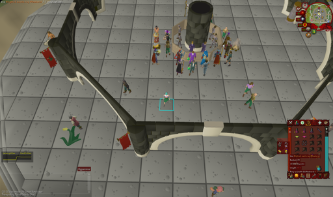
Your job has a Discord thread called Job Updates. Everything the plugin observes lands there, in order, within seconds of it happening. Not a summary at the end, not a report you have to ask for — the thread fills while the booster plays.
The channel it lives in is marked while a booster is connected, so you can tell at a glance whether your account is being played right now without reading a single message.
- Green — a booster is connected and playing.
- Red — nobody is on your account.
There are 33 kinds of event reported. Among them:
- Progress — levels gained, XP milestones, quest completions, achievement diaries, combat achievements, collection log entries.
- Loot and kills — drops with their value, boss and raid completions with kill counts, clue scroll rewards, pets.
- Money moving — trades in and out, Grand Exchange buys and sells, items dropped or destroyed.
- Risk — deaths with what was lost, what was recovered afterwards, low-HP and slayer-task alerts.
- Account — every login and logout, bank value when a bank is opened, and any action the plugin refused.
The booster has no settings panel and no way to choose what you see. What gets reported is decided on our side and pushed to their client, and a change we make reaches a running session without them reconnecting or agreeing to it.
Shaco Store Security started a thread: Job Updates. See all threads.
05 Screenshots, so you are not taking anyone’s word for it #
A line of text saying an item was traded away is a claim. A picture of the trade window is evidence.
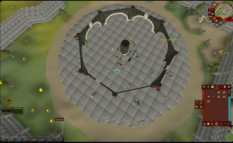
The plugin captures the game screen at the moment an event fires and attaches it to that event in your thread. It is taken by the plugin, from the running client, at the instant the thing happened — the booster does not produce it, crop it, choose it or get a chance to withhold it.
Screenshots ride along with essentially everything: drops, deaths, trades, level-ups, clue rewards, bank values, and refused actions. The one deliberate exception is logging out, where the captured frame would be the login screen rather than anything worth looking at.
Images pass straight through to your thread and are never stored on our servers. They exist in Discord, where you can see them, and nowhere else.
06 The numbers are kept for you, not reported by the booster #
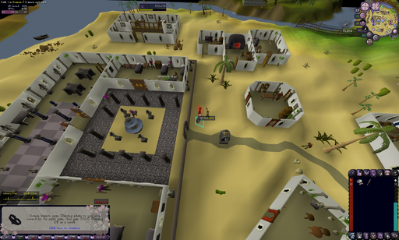
As events arrive, we total them up. You can see the running figures at any point during the job, and they are included in the report at the end.
- Value received — loot picked up, items traded to your account, and anything recovered after a death.
- Value lost — items dropped or destroyed, and value lost on death that was never recovered.
- Value traded away — shown separately and deliberately not counted as a loss. A trade is an exchange; a booster who bought something is not a booster who lost it.
- Bank value — the first reading we ever took for your job and the most recent one, so the change over the whole job is visible.
- Completions — every boss and activity the account finished, with the kill count when we first saw it and where it stands now.
Completions are counted as they happen, not worked out by subtracting one number from another. A kill count that resets, or one reported by a different account, would make that subtraction a lie.
None of this is calculated on the booster's machine. The client reports what occurred; the totalling is done on our side, where the booster cannot reach it.
07 When the job ends, you get the whole thing in one file #
Closing a job posts a single HTML file into your channel: the summary figures, every activity completed, and the event log itself — oldest first, each row a timestamp and what happened.
It is completely self-contained. No JavaScript, no stylesheets, no images loaded from anywhere, not one address pointing outside the file. Opening it makes no network request at all, today or in five years. It is a document you can keep, archive or forward, and it will read the same forever.
Everything in it came from a game client, so everything in it is escaped — a player name written to look like markup is shown as text, never treated as code.
If a job produced more events than one file can sensibly hold, it keeps the most recent ones and says exactly how many it left out. The last thing that happened is almost always the reason anyone opens the file.
Summary
- Value received
- 0 gp
- Value lost
- 235,831 gp
- Loot
- 0 gp over 0 drops
- Traded in
- 0 gp
- Traded away
- 0 gp
- Retrieved after death
- 0 gp
- Dropped or destroyed
- 235,831 gp over 11 items
- Lost on death
- 0 gp over 0 deaths
- Bank at handover
- 16,060,605 gp across 320 items, 2026-09-24 12:04:40
- Bank last seen
- 16,108,136 gp across 321 items, 2026-09-24 12:39:14
Events
First 12 of 64 events
| Time (UTC) | Event | Detail |
|---|---|---|
| 2026-09-24 12:01:39 | AUTO_LOGIN | job was refused |
| 2026-09-24 12:02:27 | AUTO_LOGIN | job was refused |
| 2026-09-24 12:03:15 | AUTO_LOGIN | job was refused |
| 2026-09-24 12:04:26 | AUTO_LOGIN | job logged in |
| 2026-09-24 12:04:33 | LOGIN | Therapisting logged into World 335 |
| 2026-09-24 12:04:35 | ITEM_DISCARD | Therapisting dropped 1 x Blighted manta ray (98) |
| 2026-09-24 12:04:40 | BANK_VALUE | Therapisting has a bank worth 16.0M across 320 items |
| 2026-09-24 12:04:44 | BANK_VALUE | Therapisting has a bank worth 16.0M across 320 items |
| 2026-09-24 12:04:47 | ITEM_DISCARD | Therapisting dropped 1 x Adamant platebody (9,414) |
| 2026-09-24 12:04:50 | BANK_VALUE | Therapisting has a bank worth 16.0M across 320 items |
| 2026-09-24 12:04:52 | BANK_VALUE | Therapisting has a bank worth 16.0M across 320 items |
| 2026-09-24 12:12:53 | ITEM_DISCARD | Therapisting dropped 1 x Blighted manta ray (98) |
08 A booster cannot play your account unwatched #
The obvious way around monitoring is to stop it — switch the plugin off, pull the network cable, close the connection and carry on playing. This is the part of the design that answers that.
Switching it off does not work #
If the plugin is disabled in the client's own plugin list, it turns itself back on immediately. The only thing that stops it is our side telling it to stop.
Cutting the connection does not work either #
The plugin tries to reconnect continuously, and after roughly four minutes of failing it puts the client back to the login screen. Your account stops being played until supervision is restored. When the connection comes back, the account is logged in again automatically and the job resumes — a genuine internet problem costs a few minutes, not a job.
A lost connection appears in your thread #
If a booster's session ends without a clean logout, we record it ourselves as Connection Lost rather than letting the log simply stop. It is named honestly: we did not see the account leave the game, only our view of it end. Either way, the gap is visible instead of silent.
The plugin also refuses to run at all if its own software cannot be verified, or if we tell it the session is over. Failing closed is the deliberate choice — a booster who cannot be monitored does not get to play.
09 Where your account is played from, if you care #
A job can be pinned to a country. If yours is, a booster connecting from anywhere else is refused — they cannot start the client against your job, and if they move mid-session the connection is cut and stays cut until they relaunch.
The important detail is where that country comes from. It is derived from the network connection itself, at our end. The booster's client does not declare its location and is not asked to — a self-reported location is worth nothing, which is precisely how these things are usually got wrong.
It is checked twice: once when the booster claims the job, so a client that would be refused never starts, and again every time their session connects, because a booster could change location after claiming.
If the location cannot be determined at all, the session is allowed and the gap is recorded rather than the job being taken offline over an outage on someone else’s service. If the country on the job is not a valid one, the job is refused instead — a typo must never quietly turn into no restriction at all.
10 The booster runs software we signed, and nothing else #
Monitoring is only worth anything if the thing doing the monitoring is the thing we wrote. So the plugin the booster’s client loads is cryptographically signed, and it checks that signature itself before it will run.
- The signing key is kept offline. It is not on the server, so a compromise of our backend still cannot produce a plugin a booster would accept.
- The signature covers the version and the exact bytes together, so an older build cannot be replayed as the current one, and a modified one fails outright.
- The launcher verifies it independently before installing anything, and the plugin verifies again at startup. An unverifiable build does not run.
The same applies to the small amount of low-level data the plugin needs in order to log you in: it is signed offline, our servers only pass it along, and the plugin refuses it if the signature does not check out. A booster who edits their copy of anything ends up with a client that will not start a job.
11 What we keep, and for how long #
- Your credentials — deleted when the job ends. Password, bank PIN and display name all go; nothing is archived.
- Screenshots — never stored by us at all. They pass through to your thread and are not written down anywhere on our side.
- The event log — kept for 30 days after the job ends, then the detail is deleted. The deletion is itself recorded, so the log cannot quietly lose things.
- The summary and the report — kept. Your totals stay available indefinitely, and the HTML report is already in your channel, which is yours.
- A job that has not ended — never expires. Nothing is deleted from a job that is still running, however long it runs.
The short version: the sensitive material has the shortest life of anything here, and the things you would want to look back on are the things that stay.
12 What this does not claim to do #
We would rather you knew the limits than found them later.
The action blocking runs on the booster’s own computer. Somebody determined enough to run a different client entirely is not subject to it. What makes it worth having is that our client is the one they are given, it is signed so it cannot be quietly modified, and anything it refuses is written down — so an idle click becomes a deliberate act with a record attached.
This is monitoring, not prevention. It cannot stop a booster from playing badly, dying, or making a decision you would not have made. What it guarantees is that you find out promptly, with a screenshot, rather than afterwards from their account of it.
A booster with no supervision does not get to play. If the plugin cannot verify itself, cannot reach us, or is told to stop, the account goes back to the login screen. That is the trade: occasionally a few minutes of downtime from a genuine network fault, in exchange for there being no such thing as an unwatched session.
And the part worth repeating: the booster never holds your password. Every other control here is a layer on top of that one.
Every OSRS order, on the record
Pick a service and the security plugin watches the whole job, from the first login to the report at the end.